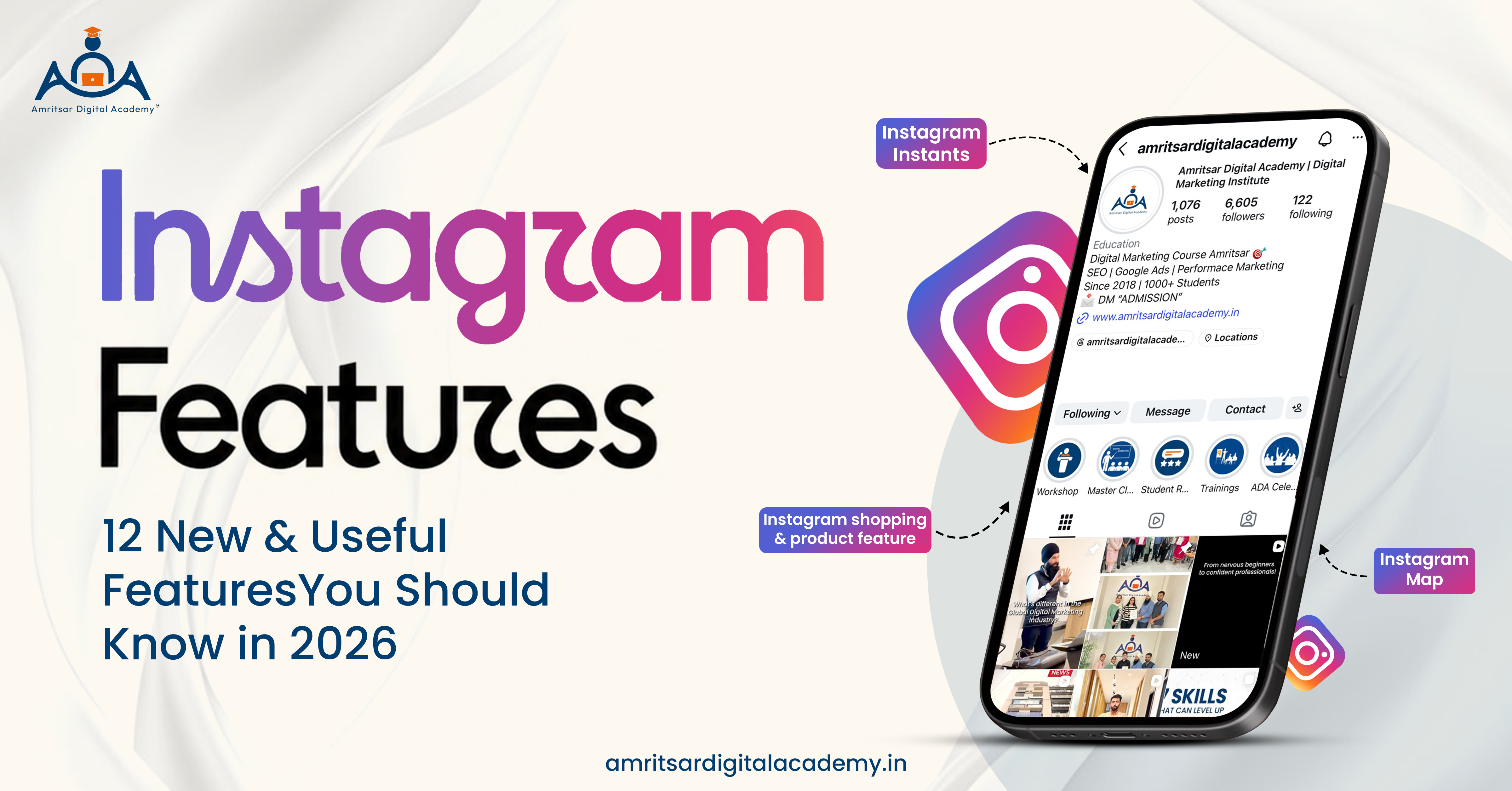
Instagram is now not only platform where users can share photos, videos, and messages. Every few months, Meta introduces new Instagram features that enhance how people create content, discover creators, engage with communities, and track performance. These new features are rolled out so quickly that users don’t even know that a new feature was introduced or its usefulness.
So that’s why we bring this guide on 12 new and useful Instagram features in 2026 including newer tools and established features that are important to creators and businesses. Some features may not be available to every account because availability of features may vary according to account, device, and country.
At Amritsar Digital Academy, we regularly study how social media platforms are updating and how these updates are affecting digital marketing. So let’s learn these latest Instagram features that you should know in 2026.
12 Instagram Features You Should Know in 2026
1. Instagram Instants
What are Instagram Instants?
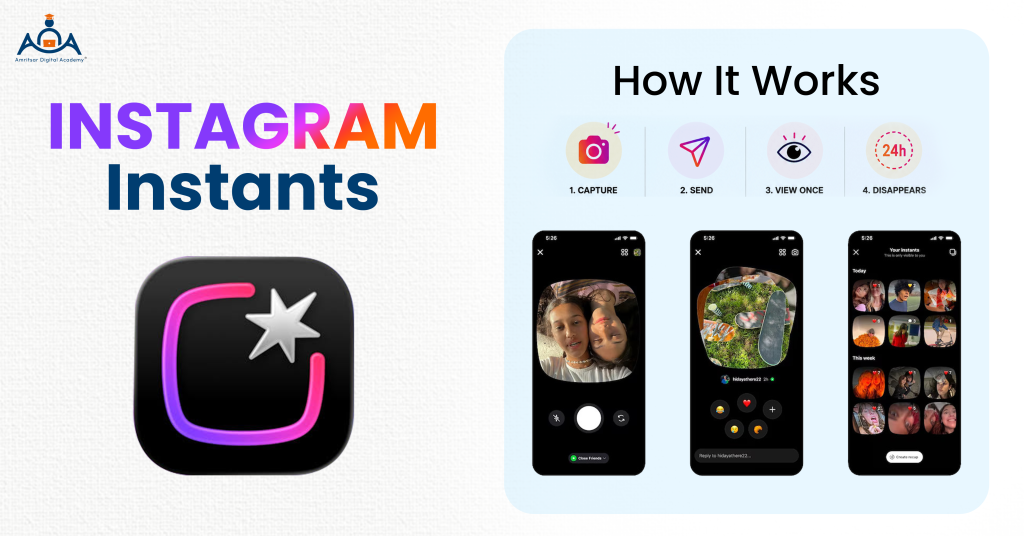
Instagram Instants is new Instagram feature designed to share quickly and randomly with your close friends. Instants capture what you are doing at that moment without spending time on editing and preparing content.
In 2026, Meta launched Instants enabling users to share pictures with close friends or followers. You can find Instants either in Instagram inbox, where a large pile of pictures is available, or as a dedicated Instants application in some markets.
How Do Instagram Instants Work?
- You can take photo right through the feature. You cannot upload existing image from your phone gallery.
- You can add caption and choose whom you want to send Instant.
- The person can respond to it, send an Instant back or give a reply.
- Once the Instant is viewed, it disappears and cannot be accessed again after 24 hours. But there is an archive where the user can keep their Instants for some time.
Who should use Instagram Instants?
Everyday Instagram users are main target audience of Instants. Creators can also use this new Instagram feature for more casual interactions with the people they know.
2. Instagram Reposts
What is Instagram Repost Feature?
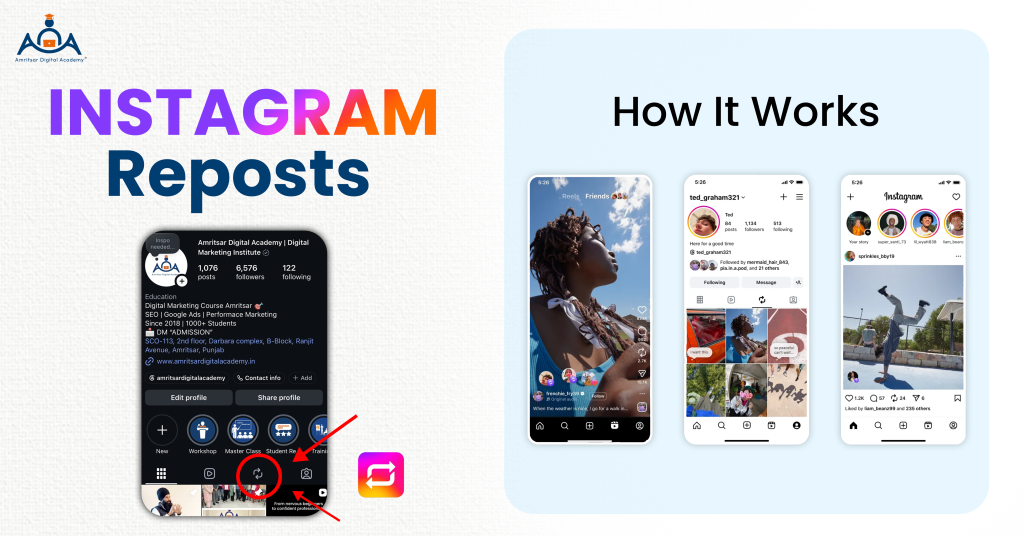
Instagram repost feature allows users to share someone else’s public Reel or feed post directly to their own profile or feed, just like retweeting. It’s a direct way to reshare eligible public content. Instagram repost feature helps content reach more people who do not already follow the original creator.
How Do Instagram Reposts Work?
- When you see qualified reel or post on your feed that you want to repost, you should find the option for sharing and tap on it.
- Your repost can appear in a special section of your profile and might be sent to other users’ friends and followers as well.
Who should use Instagram Reposts?
Every Instagram user can use this Instagram Repost feature to share others content.
3. Instagram Map
What is Instagram Map?
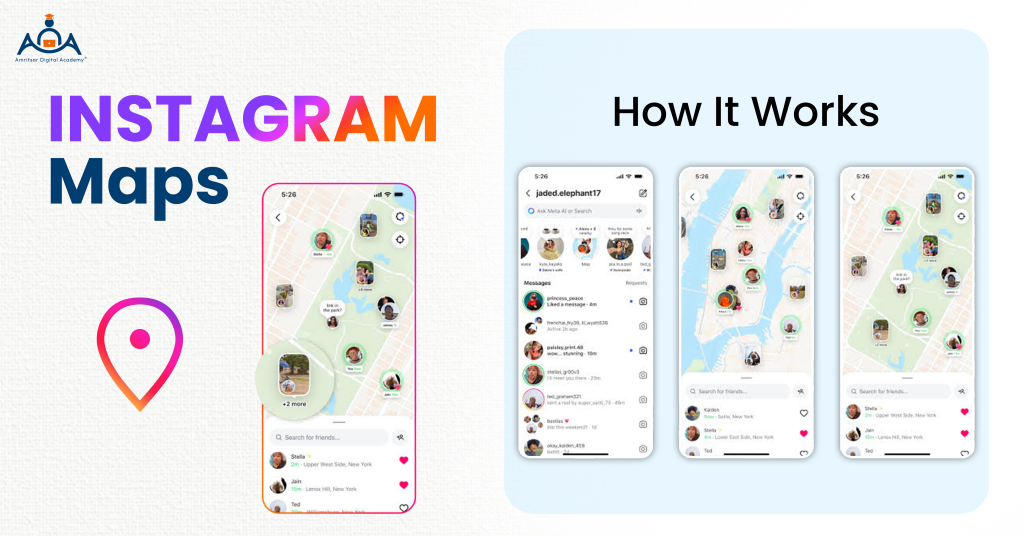
Instagram Map feature allows users to find content related to places and if they choose, share their last active location with selected friends. This Instagram feature will be beneficial for local businesses when people search for location based content.
For example: Digital marketing institute in Amritsar creates content around physical location and uses location tags. This gives Instagram another signal that connects content with real-world places.
How Does Instagram Map Work?
- You are able to use the Map to see content linked to specific locations without having to share your own location.
- If you do decide to share your location, Instagram gives you the ability to manage who has access to it. Also, you can always turn it off whenever you want.
- The Map allows the viewing of location-tagged content, showcasing its potential as a discovery tool.
Who should use Instagram Map?
Instagram Map feature is useful for local users, travellers, creators, and location based businesses.
4. Instagram Notes
What are Instagram Notes used for?
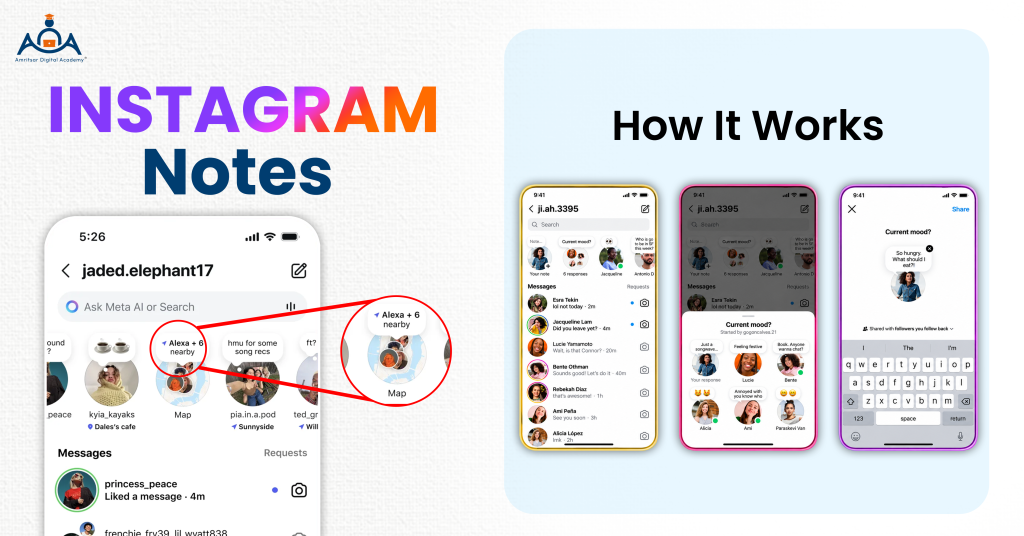
Instagram Notes are short, text based status updates that are shown above your DMs. You can add privacy to your notes so only those people whom you add to the list can see your notes. Notes will disappear after 24 hrs similar to Instagram stories.
How Do Instagram Notes Work?
Using your Instagram inbox, you can create a Note and select the visibility that suits your preference.
Some of the recent notes may include:
“What topic do you want me to write on?”
“DM for more info”
5. Instagram Friends Tab in Reels
What is Instagram Friends Tab in Reels?
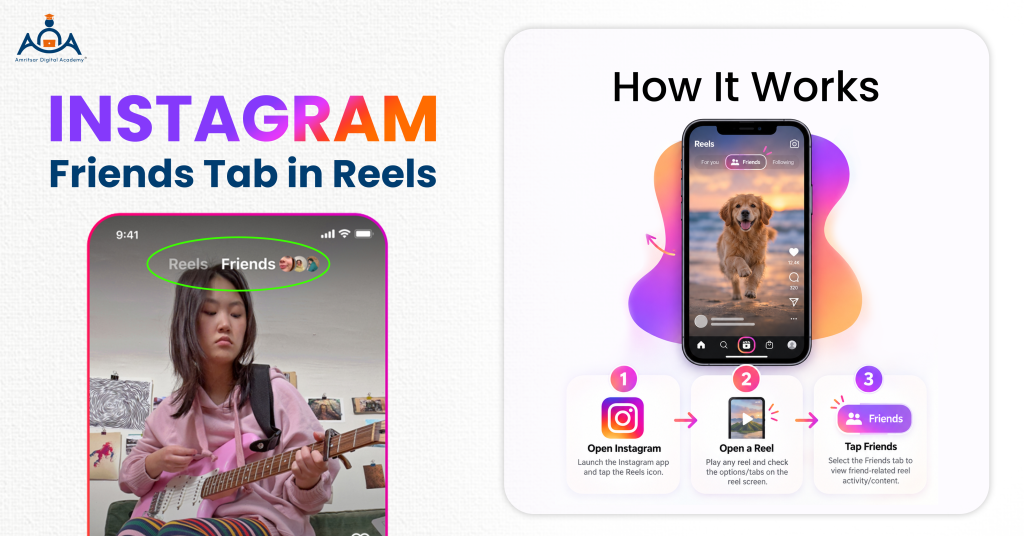
The Friends tab is a section available in Reels that enables users to see public content that has been shared by their friends. Such content can include Reels shared by friends, liked by them or simply videos that they have either reposted or commented on.
How does it work?
- The approach that Instagram takes for discovering traditional Reels is mainly due to suggestions based on what Instagram believes you want to watch.
- The Friends section helps make social connections. Now, you are able to check out not just recommendations but also content closely related to users you follow.
In terms of creators, it is helpful to know this because activity from friends and followers might become part of the way users get to discover content in this social viewing modality. Moreover, Instagram offers controls about visibility of activity allowing individuals to address the points related to what is being shown to all of them.
6. Instagram Insights
What is Instagram Insights used for?
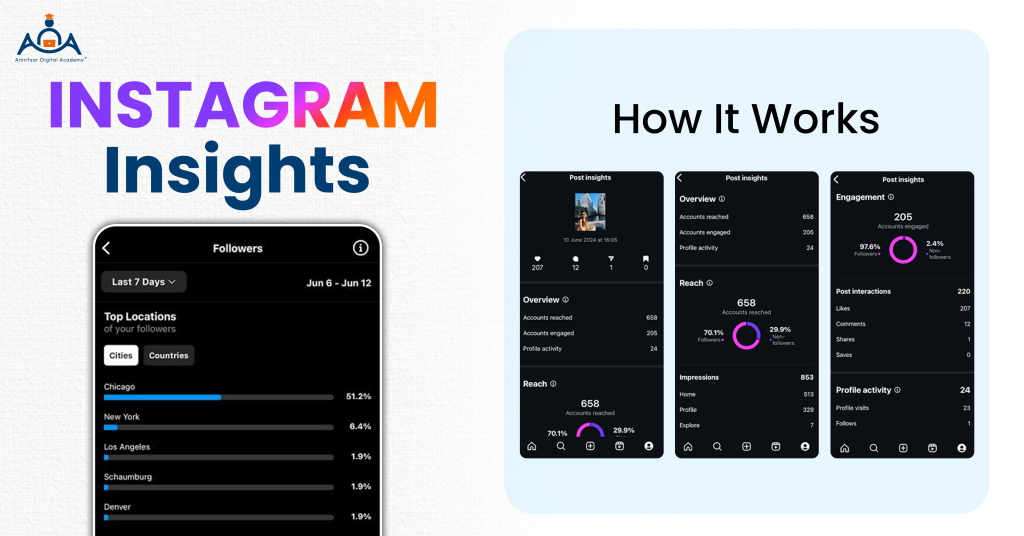
Instagram Insights is in built analytics platform in Instagram for professional accounts. It helps businesses and creators to understand how their content performs. With the help of Instagram Insights, you don’t only track your views, likes and follower counts, you can also examine metrics such as:
- Reach
- Engagement
- Account Engaged
- Content Performance
Instagram Insights helps you to get clear picture of your content performance. For example:
You posted three reels on your Instagram account.
- One reel gets 5,000 views but little engagement.
- Second reel gets 3,000 views but has many shares and saves.
- Third reel gets 2,000 views but leads to profile visits and questions.
The first video looks good if one considers only the number of views. Insights will show that reels have different impacts.
7. Instagram AI Features
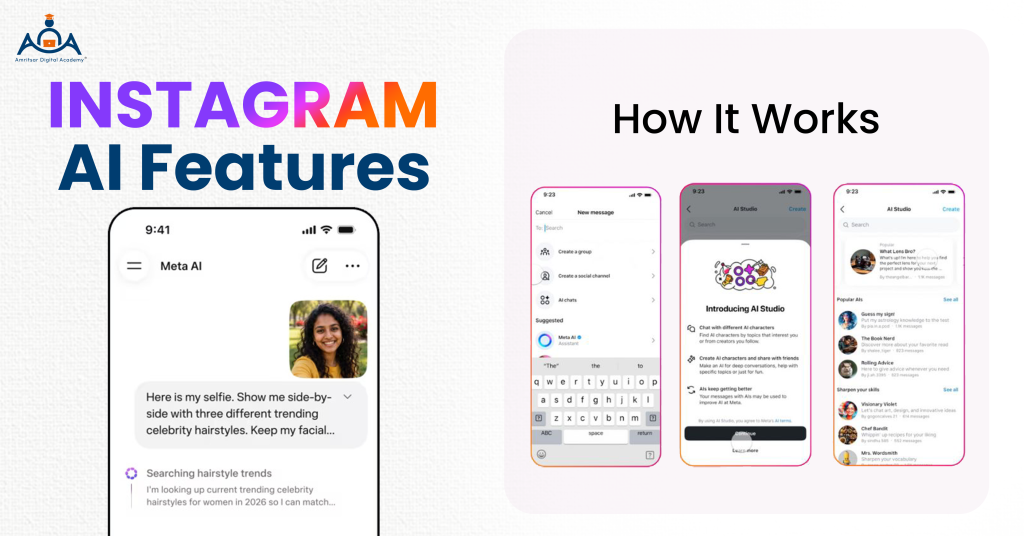
By 2026, Instagram has evolved to become an AI-based platform. Nowadays, most of the processes on Instagram, including feeds, captions, edits, and recommendations, are supported by Meta AI. The most significant updates include the AI Creator label, the capability of manual control over Reels algorithm, and the availability of editing tools that help creators and businesses in creating content.
Instagram CEO Adam Mosseri has shared that the rise of AI-generated content will actually boost the value of authentic human creators. The company Meta is trying to promote original content across its platforms and make use of AI-generated content as well, and it is doing so thanks to the AI Creator label that will help them achieve both goals at once.
Instagram AI Features 2026
| Feature | What it does |
| AI Creator Label | Profiles and post labels for AI generated content accounts |
| Meta AI Search | Conversational AI assistant from search bar |
| DM Message Summaries | AI summarizes your long DM conversations |
| AI Image Edit | AI edits your image in stories with AI effects |
| Shopping AI | Meta AI product recommendations from creators and brands |
8. Instagram Edits
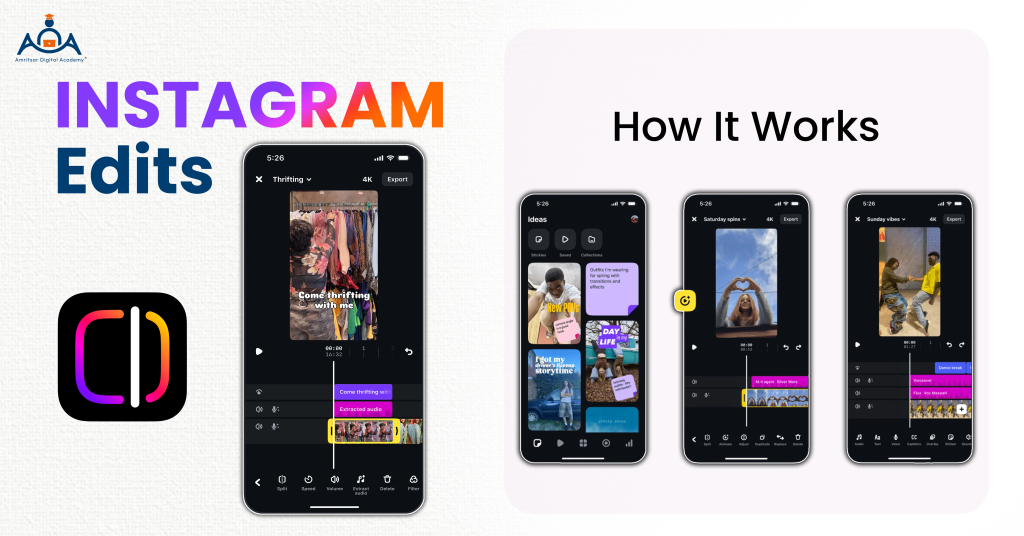
Instagram Edits is video editing app for creators. This app is designed to give creators more complete mobile workflow for making short form videos. It has features to edit and organize videos, apply effects, utilize layouts, compose and format subtitles, and control the whole process of Reels workflow in single application.
People will save time while they make videos. Instead of going from one app to another, they will only use Edits to simplify their work.
Also Read: How to Grow Instagram Followers Organically in 2026 (No Paid Ads)
9. Instagram Reels Teleprompter
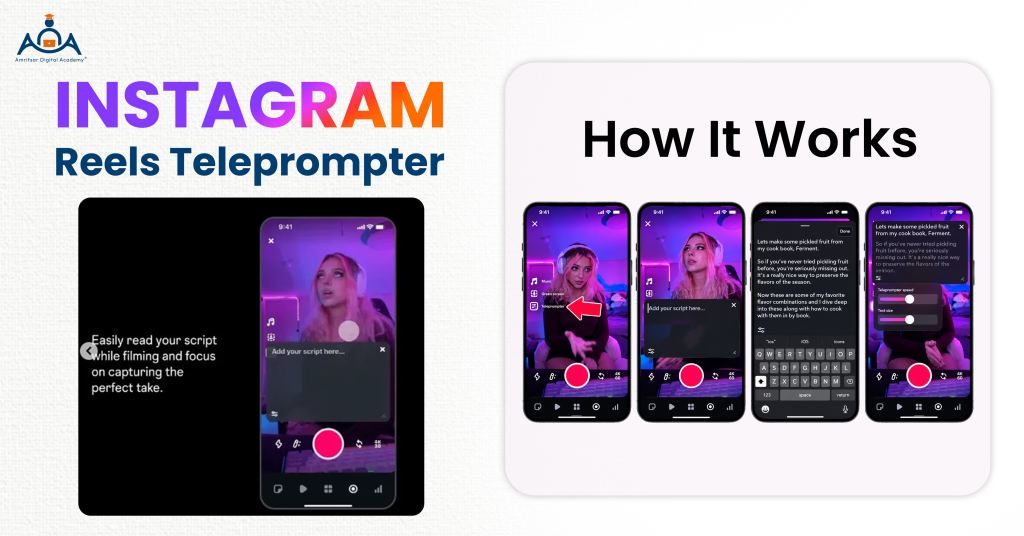
Instagram Reels Teleprompter is hidden feature of Instagram that helps creators to scroll written script on screen while recording video. It will become easy for creators to read lines naturally instead of memorizing script.
How creators use it?
- Paste your script before start recording your video.
- Your text scrolls at an adjustable pace directly on your screen as you talk to the camera.
This Instagram feature will be beneficial for creators who want to make talking head videos, educational content, tutorials and product explanation videos.
10. Instagram Collabs
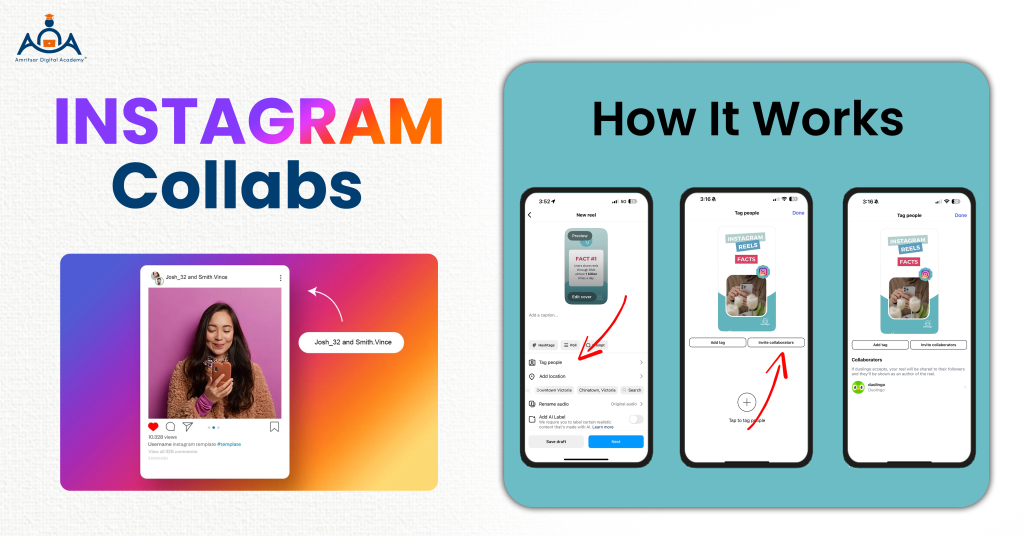
Instagram collab feature allows you to collaborate with multiple accounts on posts or reels so that content appears on both profiles.
How Instagram Collabs work?
When creator publishes qualifying content, they can invite another account to collaborate. If that account accepts the invite, the content can appear on both accounts and enjoy engagement on either profile. Instagram has constantly been growing Collabs with new functionalities such as collaborative posts, carousels, and Reels.
11. Instagram Broadcast Channels
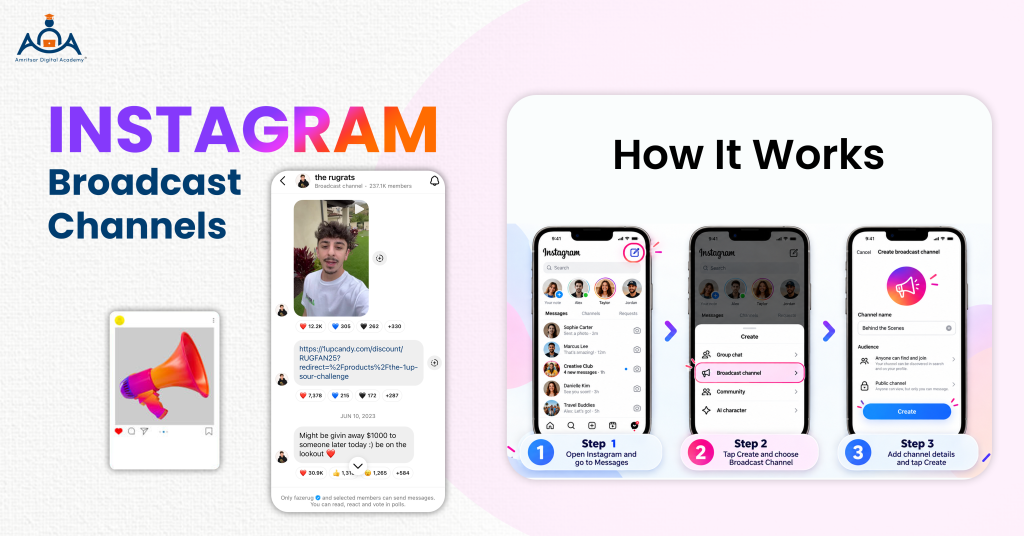
Instagram Broadcast Channels are one way channels where users can get messages and updates from creators and businesses. Only the owner of the broadcast channel can send messages, while its members can only reply and react to the messages. Businesses can use broadcast channels in product introduction, distribution of news, and community communication without the hassle of sorting out messages in the main feed.
12. Instagram Shopping and Product Features
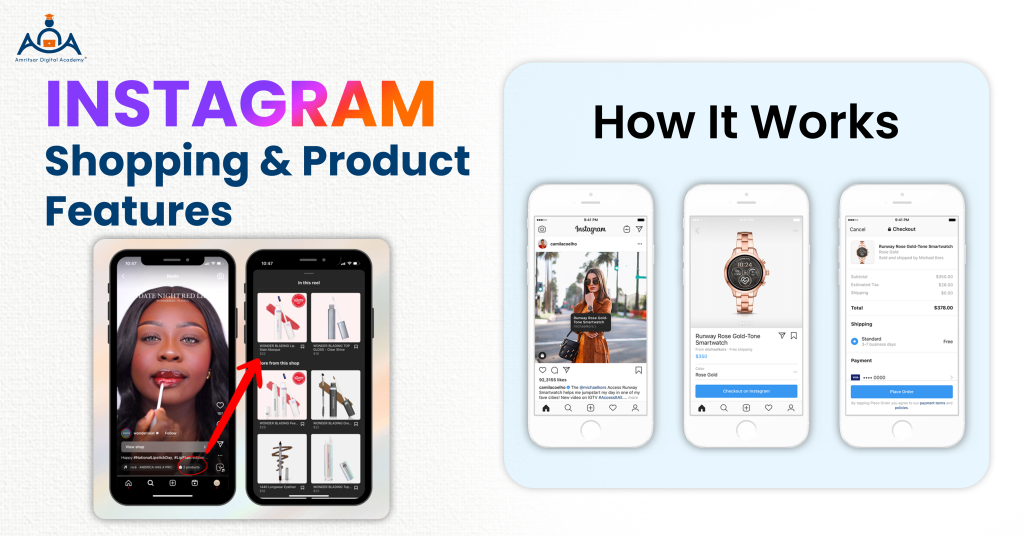
Instagram shopping features allow users to mark products in their posts, reels, and stories, converting content into a buying environment.
- Users can check the prices of tagged products by tapping on them anywhere in the app, thus making the transition from the moment of discovery to actual purchase faster.
- Brands have started leveraging Reels and carousels for marketing their products instead of simply producing static images of the items.
Thanks to the shopping features, the transition through the customer journey is sped up, and the customers are able to perform product discovery and research within one session of using the app.
Availability note: The shopping features and the tagging of the products depend on the region, type of business account, and other relevant factors, thus not all users will have the same options.
Which Instagram Features Are Useful for Creators?
Instead of searching for best Instagram features, you should find out Instagram features according to your needs.
| For | Use |
| Creating Content | 1. Instagram Edits for video editing 2. Instagram AI features for creative tasks 3. Reels Teleprompter for scripted videos |
| Reaching New Audiences | 1. Instagram Reposts 2. Instagram Collabs 3. Friends tabReels 4. Location-based discovery |
| Understanding Performance | 1. Instagram Insights 2. Instagram Account Status |
| Building Community | 1. Instagram Notes 2. Broadcast Channels 3. Subscriptions 4. DMs |
Which Instagram Features Are Useful for Businesses?
Businesses can use Instagram features according to their market objective.
| For | Use |
| Brand Awareness | 1. Reels 2. Collabs 3. Reposts |
| Audience Engagement | 1. Stories 2. Notes 3. Broadcast Channels 4. DMs |
| Measuring Performance | 1. Instagram Insights 2. Account Status |
| Local Discovery | 1. Instagram Map 2. Location tags 3. Location-based content |
| Selling Products | 1. Instagram Shopping features 2. Product-focused Reels 3. Product carousels 4. Creator collaborations 5. Stories |
Are All Instagram Features Available to Everyone?
The answer is no. Availability of Instagram features vary according to account type, eligibility, device you used and country. Some features become available to selected users before they are launched more widely. Some features function exclusively for businesses or creators, or they have eligibility conditions that need to be satisfied, such as the number of followers or time spent on the platform.
People using older versions of the app may miss out on features that are already live for others. Furthermore, Meta is continuously changing and updating features, and even if a feature is available today, it may become unavailable tomorrow. If a feature is mentioned here but you cannot see it in your app, this may just mean that it hasn’t come to your area yet.
Final Thoughts on Instagram Features
With Instagram’s latest updates, it comes up with new features that will help you in creating, discovering, and sharing your content. You do not need to utilize every feature that you come across therefore, choose wisely and stick to the tools that can help you in reaching your objectives.
Content creators stick to creating content while businesses aim to employ reels, collabs, notes, insights, location-based discovery, and other features for their marketing purposes. With the emergence of new tools including Instants, Reposts, and AI-based features, the number of options is increasing, but availability is questionable.
Do you want to know how Instagram fits into a broader digital marketing strategy? Enroll at Amritsar Digital Academy and learn about applying skills in the fields of SEO, social media marketing, content marketing, performance marketing, and others.