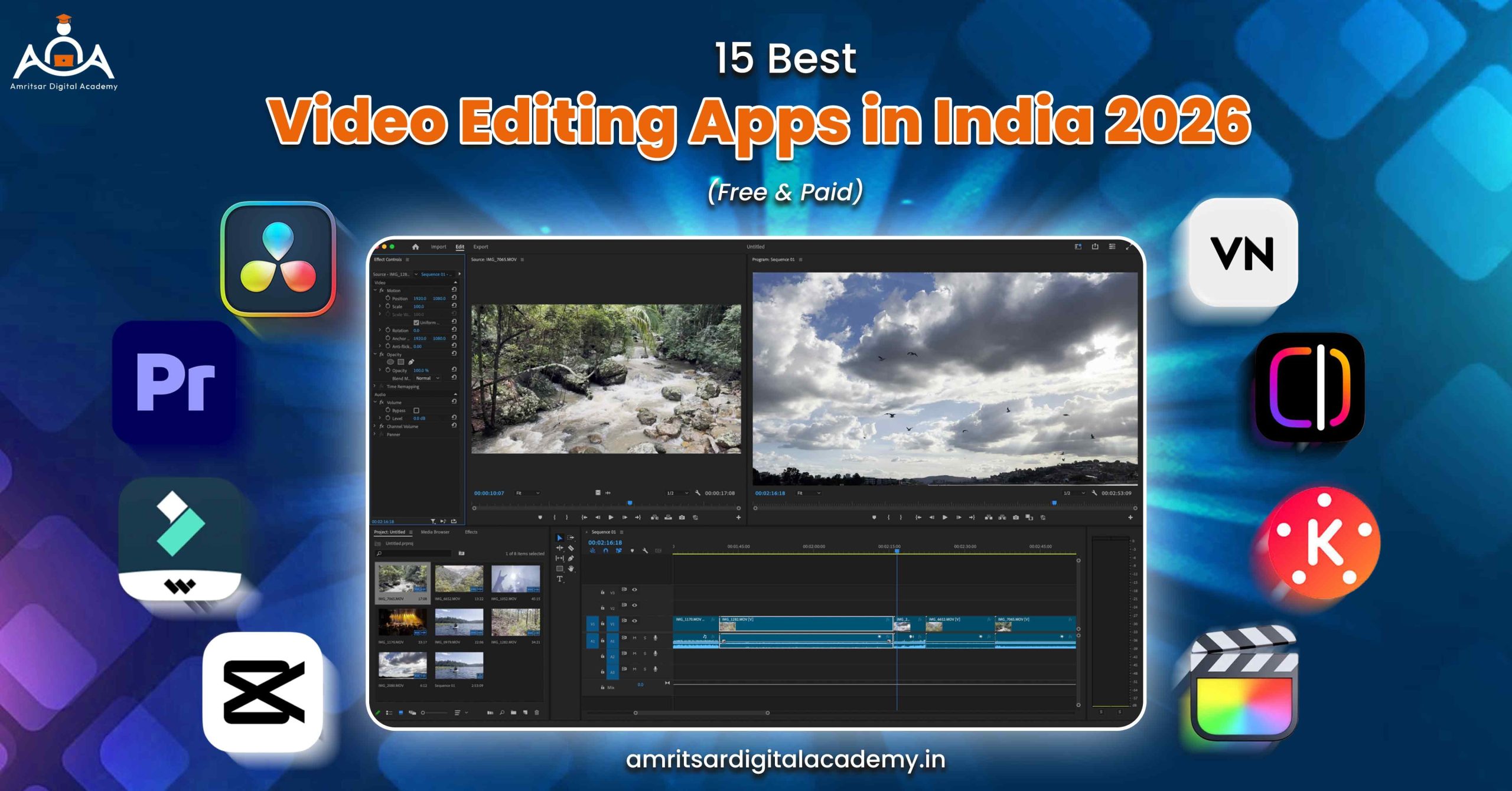
Most of the people struggle to find best video editing apps in India because there are so many options available at different prices.
Video marketing is being favored by every marketer these days for reaching potential customers. Adding eye-catching, well-explanatory, and meaningful videos in your marketing campaigns is becoming an essential organ to stand out among your competitors. You might be now worried that you don’t have any special video editing skills or you might not be aware of the video editing apps in India. So we did hard part for you. Our team downloaded and tested each app on Android and iOS in 2026, checked their performance on budget devices, and put together this honest list of 15 best video editing apps that covers everything from free mobile tools to professional desktop software.
This guide on best video editing apps in India is for students who want to make Instagram reels, YouTubers who want to grow their channel, and professional editors looking for top video editing software for client work.
| Quick Answer: For creators in 2026, VN video editor free for mobile, DaVinci Resolve free for desktop, and Filmora paid are top three video editing apps with no watermark and in budget. |
15 Top Video Editing Apps in India 2026: Comparison Table
| App | Platform | Cost | Best for | Watermark free |
| VN video editor ★ | Android, iOS, PC | Free | Reels, Shorts, Vlogs | Free |
| InShot | Android, iOS | Free+paid features | Fast edits | Paid |
| Instagram Edits | Android, iOS | Free | Instagram reels | Free |
| KineMaster | Android, iOS | Free+paid features | Multi layer editing | Paid |
| CapCut AI | Android, iOS, PC | Free+paid features | AI edits via VPN | Free |
| Davinci Resolve ★ | Windows, Mac, Linux | Free+paid features | Pro color grading | Free |
| iMovie | Mac, iPhone | Free | Apple users | Free |
| Filmora ★ | Win, Mac, iOS, Android | Paid | YouTube and social | Paid |
| Power Director | Android, iOS | Paid | Android power users | Paid |
| Adobe Premiere Rush | Android, iOS, PC | Paid | Mobile desktop sync | Paid |
| Adobe Premiere Pro ★ | Windows, Mac | Paid | Video editing agency | Paid |
| Final Cut Pro | Mac only | Paid | Apple professionals | Paid |
| Camtasia | Windows, Mac | Paid | Tutorials and Edtech | Paid |
| Alight Motion | Android, iOS | Free+paid features | Motion graphics | Paid |
| WeVideo | All | Paid | Cloud editing teams | Paid |
Best Free Mobile Video Editing Apps in India
We have tested and selected these 5 video editing apps for phone which are completely free for Android and iOS. This video editing app has no watermark at the time of export.
1. VN Video Editor
Lets start with most important one. After the ban of CapCut, VN video editor app has become one of the best free video editing apps in India. And honestly, this video editing app deserved this crown.
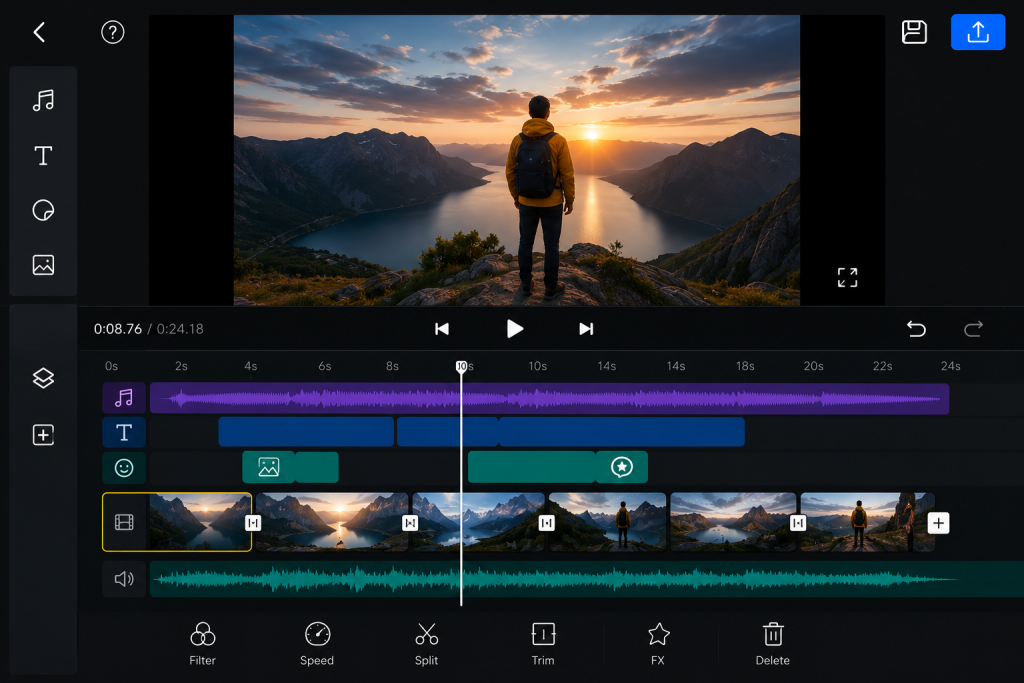
It offers you proper multi track timeline, 4K 60fps export with zero watermark, custom LUT imports for cinematic colour grading, and speed ramping curves for smooth slow motion. This video editing app is free for all.
Pros:
- This video editing app is completely free with no watermark and subscriptions.
- Your videos export on mobile with 4K 60fps.
- Also support Hindi and Devnagri fonts.
- It offers multi track timeline with keyframes.
Cons:
- If you have mobile phone with under 4 GB RAM, it may lag on your mobile.
- If you are beginner, learning new app interface is little confusing.
Price: Free
2. Inshot
InShot is a blessing to those who want professional work but with no cost and minimum effort. It is a real MVP when it comes to birthday, wedding, or baby video apps. Users can trim, speed up, or resize videos with different dimensions based on the platform for which they are going to edit the video. With numerous and extraordinary features this platform can grab position number 1 in terms best video editing app in India.
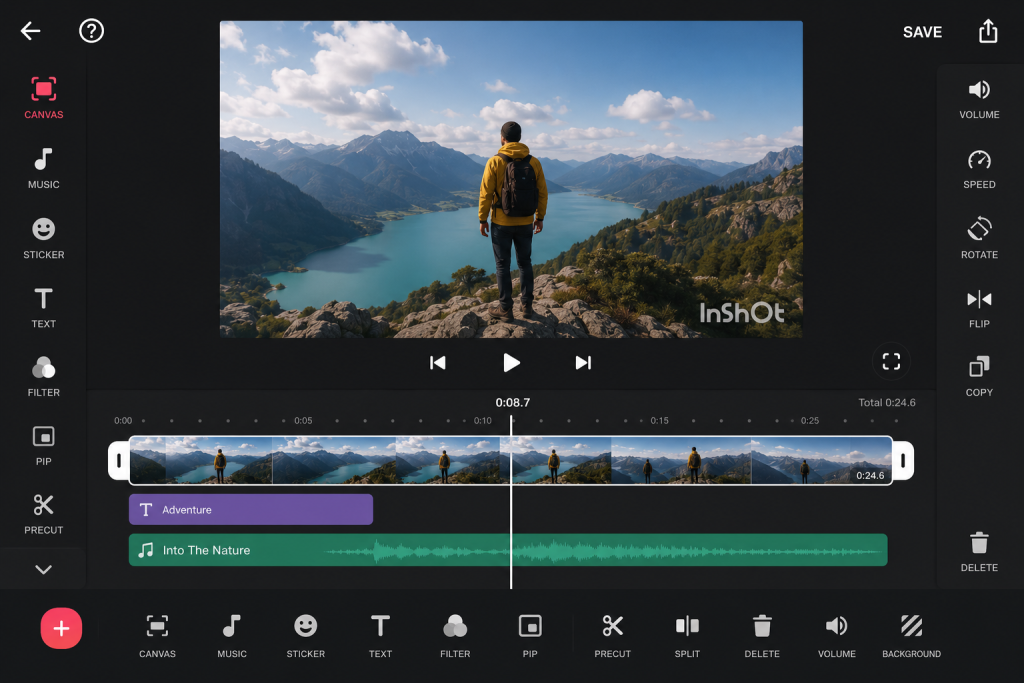
No extra watermark, if it is applied then you can easily remove it after watching an ad. App is compatible with Android and iOS both. Video editing in all dimensions for all platforms is a plus of this app. Also, it supports the rest of the core features provided by other video editing apps.
Pros:
- This video editing app for beginners is super light, if you have 3GB RAM phones it handles it easily.
- It offers AI auto captions for Hindi and Hinglish.
Cons:
- It has watermark but you can remove it by watching ad.
- Limited multi track editing.
Price: Free and ₹350 per month for Pro
3. Instagram Edits
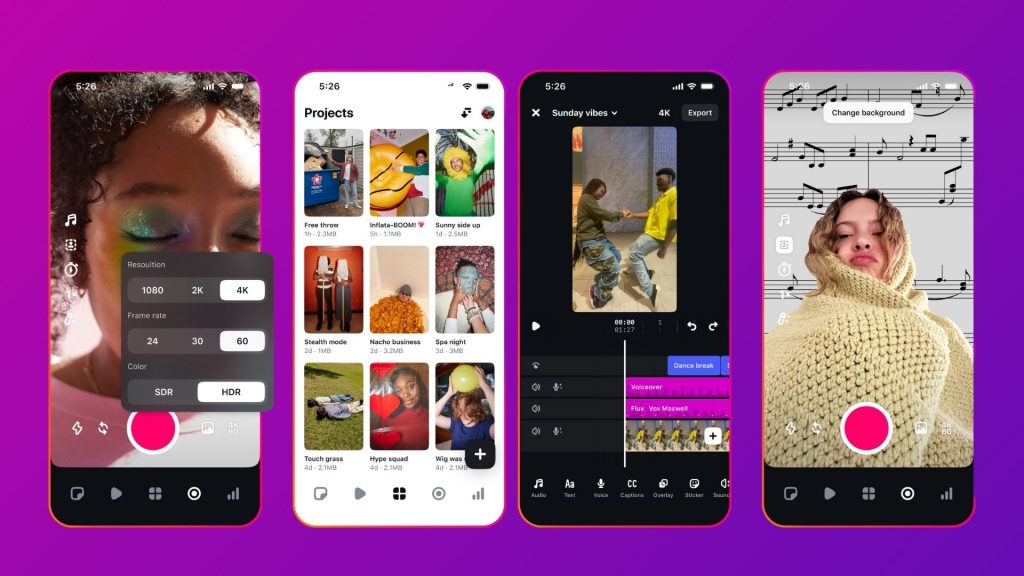
Meta launched Instagram Edits in 2025 and now it has 9.75 lakh reviews on Play Store at 4.6 stars, which is real and has earned trust. It is free, exports in 4K with no watermark, and comes with built in Reels analytics dashboard so you can track performance right inside the app.
Pros:
- Provide reels insight dashboard to you inside the app.
- You can export video without watermark.
- It also offers AI animation, green screen, and auto captions.
Cons:
This video editing app is only designed for Instagram, not for YouTube or any other platforms.
Price: Free
4. KineMaster
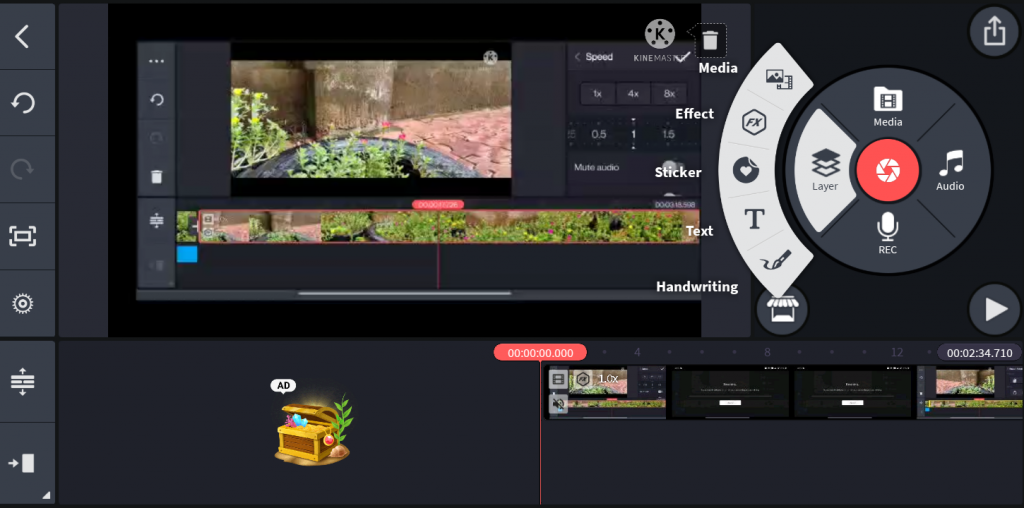
KineMaster is a highly advanced and the best video editing app for Instagram reels. The best thing about this app is that it is easy to use for beginners and stuffed with professional tools and features and experts can also use it for Instagram reels editing. The multi-track editing tool available in KineMaster lets users view up to 9 tracks at a time and blend several layers to create stunning effects that capture attention for a while. Dynamic videos are also possible with the keyframe animation tool available in KineMaster. A unique angle to insta reels can be given with the use of the picture-in-picture effect available in KineMaster. KineMaster is compatible with Android and iOS only. It is available free of cost for all users.
Pros:
- It gives you green screen feature on mobile.
- It has great asset store with effects and transitions.
Cons:
You need to purchase subscription to remove watermark from video.
Price: Free and ₹960 per month for pro plan
5. CapCut AI
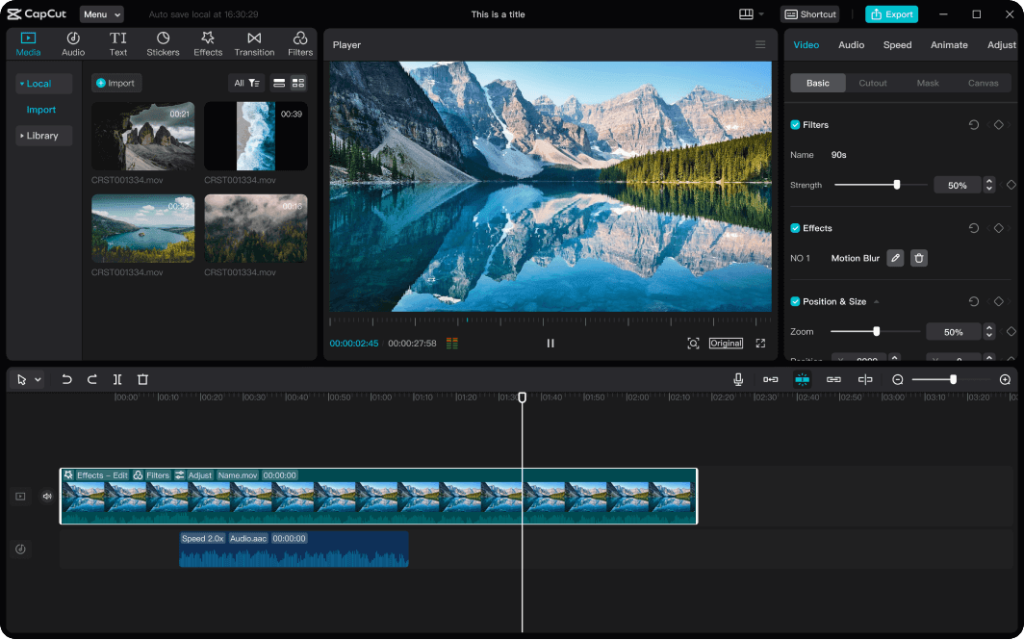
CapCut is full of features video editing app but problem for Indian users is that it is banned in India. But don’t worry, you can still use this video editing app via VPN. Its AI features are:
- text-to-video
- auto-captions
- AI avatars
- viral templates which are unmatched in free tier.
Pros:
- There are too many viral templates in this app.
- It provides best AI features of any free mobile editor.
Cons:
If you want to use this video editing app in India, you need to connect VPN.
Price: Free
Best Free Desktop Video Editing Software in India
These are completely free, have no watermark, and are professional grade.
6. DaVinci Resolve
Honestly, DaVinci Resolve free version is better than most paid software on this list. It offers proper professional editing suite that includes multi track timeline, industry leading colour grading, VFX tools, motion graphics, and complete audio post production suite and all at zero cost.
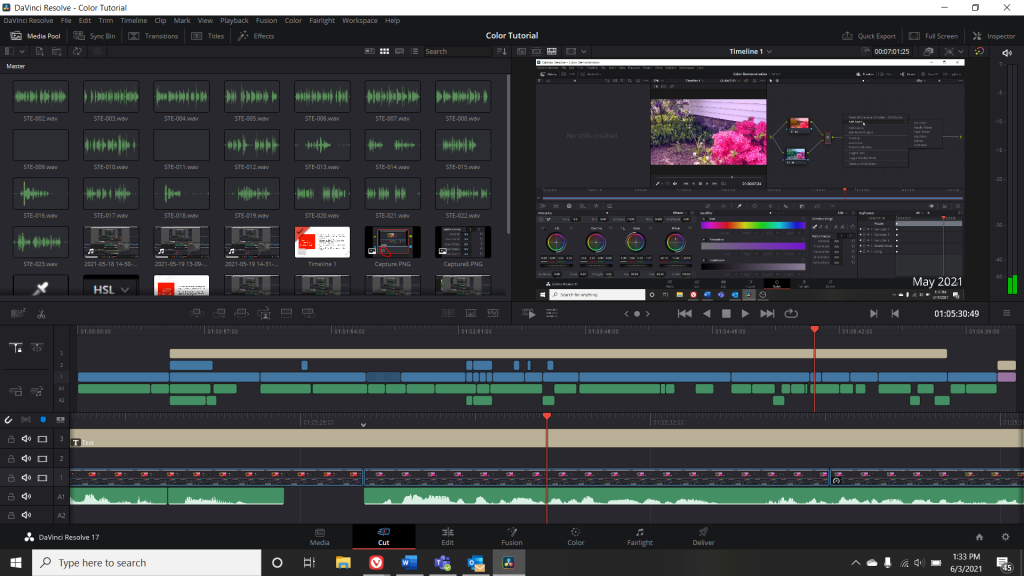
This video editing app for PC is best for professionals and creators. It is used in Bollywood post production studios, OTT content pipelines, and by top YouTubers.
Pros:
- It has no watermark.
- Editing, VFX, audio, all in one place.
- This app is one of the best color grading software.
Cons:
- This app is not for beginners.
- You can not use this app on mobile.
Price: Free and ₹31980 for studio.
7. iMovie
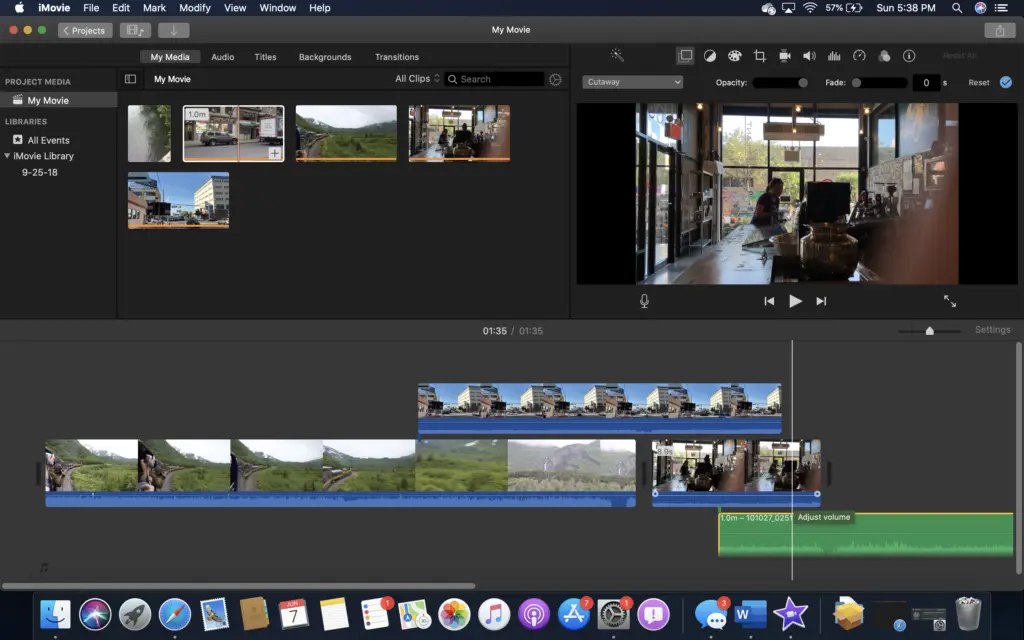
iMovie is an iOS-based app with the availability of an abundance of video editing options. It is also known as the best birthday video maker app in India for creating stunning birthday videos. Firstly, the user needs to import the video or photos from the phone gallery and then start cutting, trimming, and editing the video to remove the unwanted video parts and use the rest of the clip for editing.
Pros:
- iMovie has decent collection of transitions and features to make the shifting from one screen to another seamless.
- 4K resolution or 1080p resolution of birthday videos is easy and possible with the use of the iMovie birthday video editing app.
Cons:
- You can use this app only on Mac and iPhone.
- This app is limited compared to DaVinci Resolve for professional work.
Price: Free
Best Paid Mobile Video Editing Apps in India
If you are looking for paid mobile video editing apps, here are three worth spending on.
8. Filmora 14/15
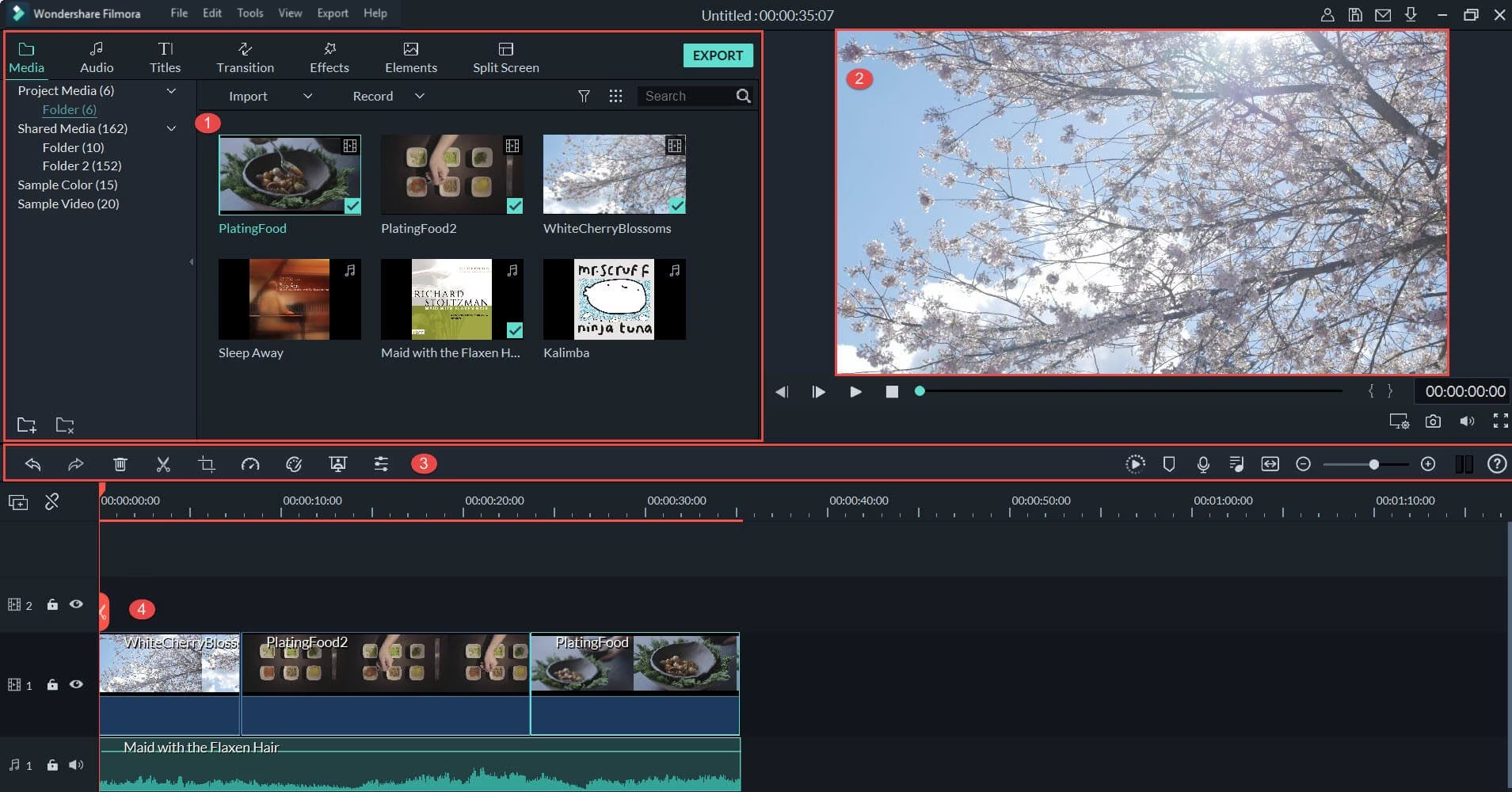
Filmora is powerful video editing app that is for professional YouTube videos, easy to learn software, and affordable to buy. For video editing app for PC at that price point is perfect for you. It supports speech to text in multiple languages like Hindi, Telugu, Marathi, Urdu etc.
Pros:
- This video editing app is beginner friendly and easy to learn app.
- It provides lifetime licence.
- One of the best thing is its work on Mac, Android, Windows, and iOS.
Cons:
- It gives watermark at the end of video if you work on free version.
- If you upgrade their version it may cost extra.
Price: ₹4180 one time plan
9. PowerDirector 365
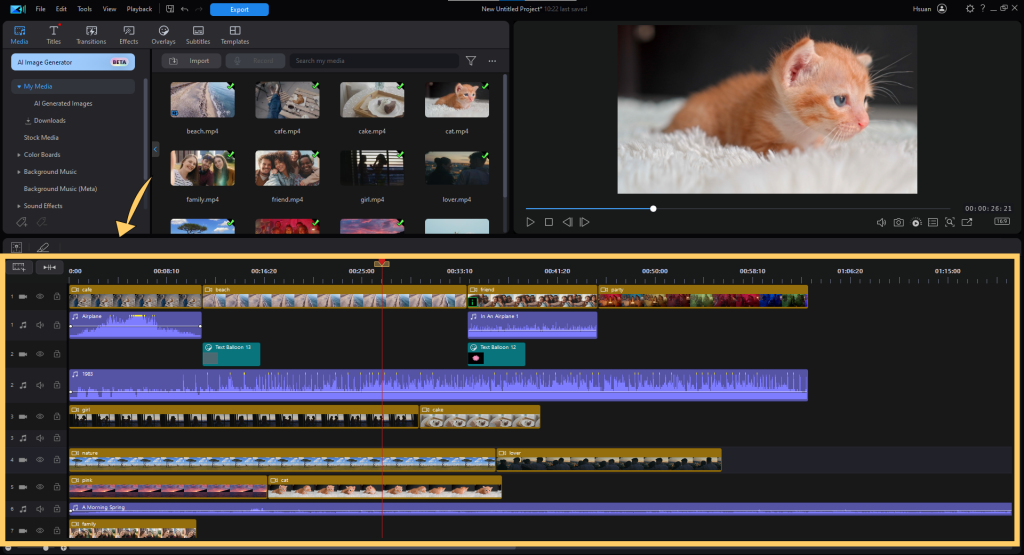
PowerDirector 365 is fastest rendered mobile video editing app. If you shoot lot of content and need to turn around edits quickly, the AI sky replacement, object removal, and 8M+ royalty free asset library make it perfect choice for serious mobile creators. It has innumerable inbuilt video templates, color correction, and audio tool features. You just name and it has everything to make your video editing perfect shot.
Price: ₹380 per month
10. Adobe Premiere Rush
Adobe Premiere Rush is an easy-to-use, versatile Instagram reel editing app. The reason why the youth of India prefer the use of this application is the availability of stunning features. Auto-reframe and pan or zoom effect features help to make your Insta reel worth checking. It’s attractive templates and color preset make your video look far better and more attractive than the usual ones. You know what the great thing is that Adobe Premiere Rush is compatible with Windows, iOS, Android, and macOS and that too at no cost.
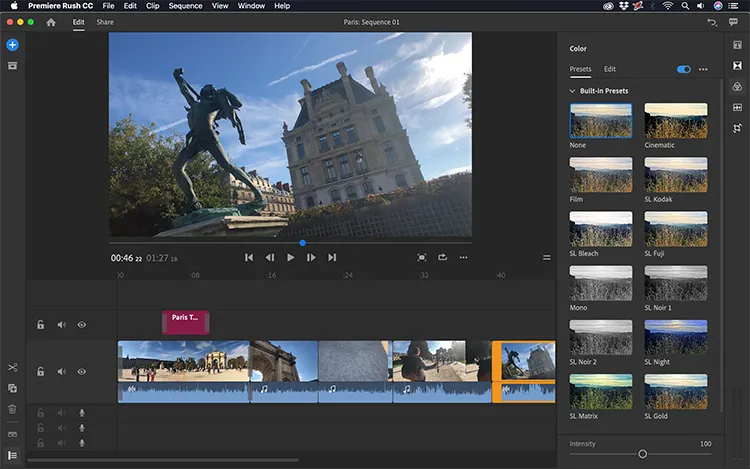
Price: Free starter plan
Best Paid Desktop Video Editing Software in India
Here are some professional video editing apps that professional editors, digital marketing agencies and production house.
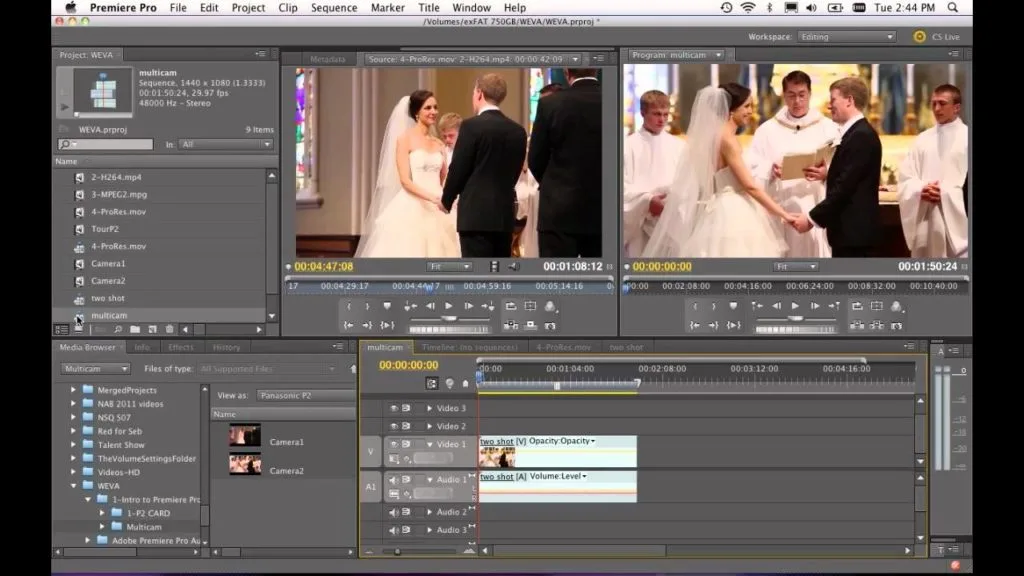
11. Adobe Premiere Pro
Adobe Premiere Pro is highly professional video editing software and is used by most experts these days. The beginners who have just stepped into this career cannot get the maximum out of it as it takes some time to learn and then edit with Adobe Premiere Pro to yield maximum results. Adobe Premiere Pro has it all when it comes to video editing such as color grading, text editing, advanced audio editing, and more. However, you are limited to few free downloads, but you can pay for your favorite track if it’s not available for free.
Pros:
- It provides you with a built-in music library from where you can choose the perfect background music of your choice.
- Premiere Pro’s Lumetri Color gives you total control over the look of your videos.
Cons:
- You need 8GB+ RAM and dedicated GPU.
- There is no lifetime licence option available.
12. Final Cut Pro
Final Cut Pro is one of the best video editing apps in India. This software has innumerable features for making videos of high quality. You can work on each clip of your video so that every clip perfectly goes by the dimensions. This is not it but the app also ensures that your video looks clean and optimized as per the social media requirements. Final Cut Pro is professional wedding video app so we strongly recommend expert wedding videographers with years of experience.

Price: ₹29900 for lifetime licence
13. Camtasia
Camtasia occupies unique niche, it is best screen recorder and editor combined, making it go to tool for Indian EdTech creators, coaching institutes, and corporate trainers producing online course content for platforms like Udemy and Skillshare.
Price: ₹10000 (per year) for AI video creation
14. Alight Motion
Alight Motion is massive among Indian reels creators who do AMV style edits, velocity cuts, and motion graphic transitions. Nothing else on mobile and desktop at this price point matches its motion design capabilities for short form content.
Price: ₹699 per month
15. WeVideo
WeVideo is at the top of the list of best video editing apps for Instagram reels. WeVideo can be used online on any device with the syncing of multiple devices so that you can edit your Instagram reel whenever and wherever you want to. WeVideo is compatible with all whether it is Android, iOS, macOS or Windows. Nowadays, WeVideo is becoming a preferred choice for many teenagers who wish to showcase their talent through Instagram.

Price: ₹2670 per month
Wrap Up
There is no single ‘best’ video editing app in India because it depends fully on what you create and where you create it.
For beginners, you can start with VN Video Editor and Filmora.
For YouTube creators, DaVinci Resolve on desktop is smartest free investment you can make.
And for professionals targeting agency work and client projects so Adobe Premiere Pro is skill that opens doors. Want to go beyond just using these tools and build career in digital content creation? Check out our Digital Marketing Course in Amritsar where video editing, social media strategy, and content creation are part of the curriculum.